Next.js Streaming and Navigation: Make Waiting Understandable
Understand what streaming changes, what Instant Navigations still need you to test, and how to keep a waiting customer informed and in control.

A good Next.js app responds clearly when someone follows a link, waits for information or submits work. Streaming can send useful interface content before slower data finishes. It does not make the underlying job complete sooner, and a quick transition is not proof that a page is accessible or fast for every visitor.
For a business owner, the practical test is simple: can a customer tell where they are, what is happening and what to do next? For a developer, that question leads to loading boundaries, prefetching, focus, errors and measurement.
If you are still defining the product, start with the business guide to Next.js apps. This article examines one small behaviour in a reproducible lab, then explains the checks a real application still needs.
Compare two routes with the same artificial delay
- 01Request the route
- 02Send the waiting state
- 03Send the delayed result
Our synthetic lab contains two routes. Both wait one second before returning a fictional result. The delay is deliberately introduced; it is not a measurement of a customer system.
The blocking route waits before returning its page content. The streaming route puts the delayed result inside a React Suspense boundary. A Suspense boundary lets the application supply a fallback, such as a loading message, while that section is not ready.
On 26 September 2026, with a production build of Next.js 16.3.4, React 19.2.8 and Node.js 24.15.0, the HTTP check observed the streaming fallback in an earlier response chunk than the result. The blocking route contained the final result without that equivalent fallback.
| Route | Observed response behaviour | Claim we can make |
|---|---|---|
| Blocking | Final result, without the demonstration fallback | This route did not send that loading state |
| Streaming | Fallback marker before result marker | The server sent the tested waiting state before the delayed result |
Download the lab source and instructions and recorded results. The runnable check fails if it cannot observe that ordering. Response chunk counts can vary between runs and are not a performance score.
Do not confuse response order with a faster customer journey
The experiment reads the HTTP response. It does not measure the browser painting the fallback, the time until a control becomes usable, assistive-technology announcements or the completion of a business task. A proxy may buffer a response; a browser may still have work to do; an attractive placeholder may explain very little.
That is why a useful performance review names the measurement before giving the result. “Fallback arrived before data” is supported here. “This app is one second faster” is not.
Our Core Web Vitals guide explains the distinction between controlled lab measurements and real-user experience. Add task measures where they matter: successful completion, repeated submissions, recovery after errors and the time someone spends waiting for a useful result.
Where Instant Navigations fit
Prefetching means obtaining route information before someone follows the link. Next.js Instant Navigations concern the immediate interface available during a client-side transition, with dynamic content arriving afterwards. The current official guide explains the configuration, fallback boundaries and testing approach.
Our lab enables Cache Components and partial prefetching. Its original HTTP checks do not establish warm client-cache behaviour, so we added a separate browser experiment. The blocking demonstration explicitly opts out with instant = false. Neither experiment certifies every navigation in a production app.
What happened when we held the navigation request
In a production build of the same Next.js 16.3.4 lab, we opened the homepage and observed the visible links prefetching their route information. We then held subsequent data requests in Chromium before clicking each link. Holding a request means deliberately preventing it from reaching the server until the reviewer releases it; it is not a measured network speed.
| Link followed after prefetching | While the data request was held | After releasing it |
|---|---|---|
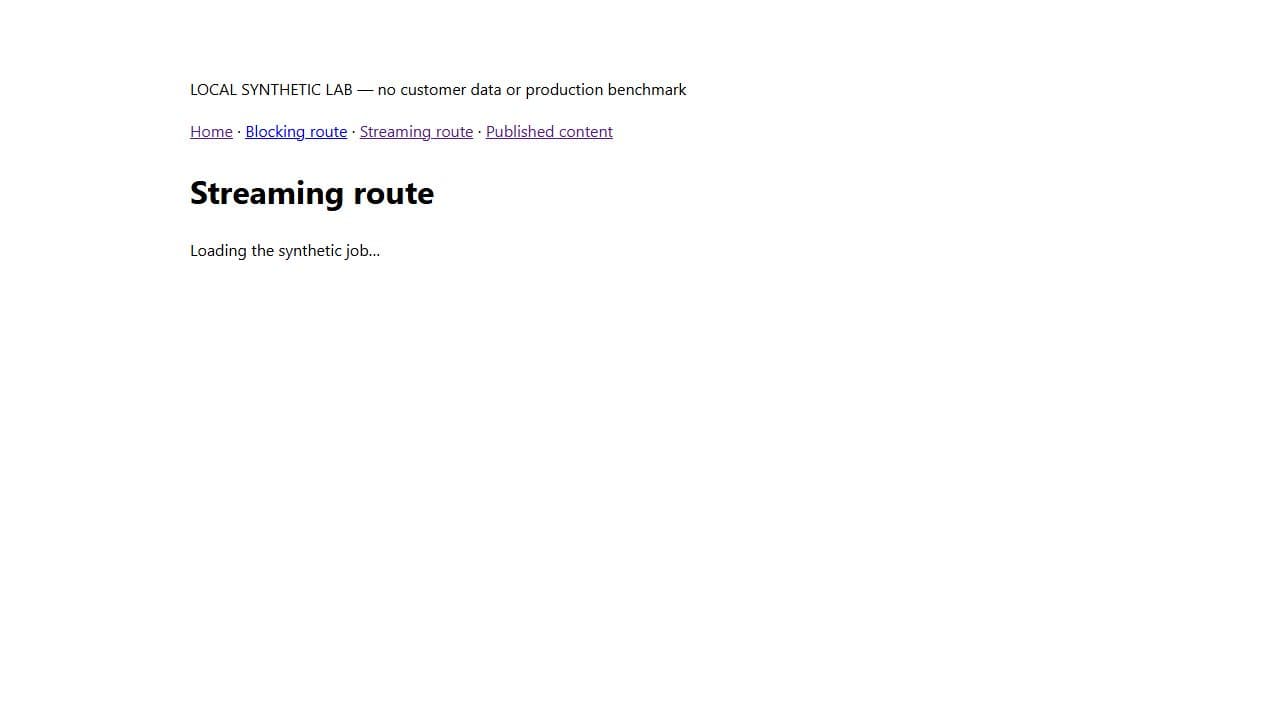
| Streaming route | The destination heading and “Loading the synthetic job…” appeared; the result was absent | “Synthetic job ready” replaced the waiting message |
| Blocking route | The homepage remained visible; the destination heading and result were absent | The blocking destination and completed result appeared |
This supplies browser evidence for a useful distinction: in the tested streaming route, a visitor could see the destination and its waiting state before the new data request completed. The blocking route kept the previous page visible. It is not a millisecond benchmark, an offline test or a test of every cold-cache journey.
The browser experiment record names the configuration, observed states and limits. To repeat it, build and start the downloadable lab, wait for the homepage links to prefetch, hold only the navigation's Fetch/XHR data request, click the link, inspect the visible heading and status, then release the request and confirm completion. Clear the interception afterwards. Do not pause document navigation or run this against customer traffic.
For an application review, test more than the happy transition from a link that has already been prefetched:
- Open the address directly in a fresh browser context.
- Follow the link after the relevant route has been prefetched.
- Navigate before prefetching has completed.
- Move between routes that share a layout and routes that do not.
- Return with Back and Forward after changing data.
- Repeat after a session change and with a slow or failed request.
The official documentation provides an @next/playwright helper for repeatable instant-navigation assertions. We have not run that helper here. Our manual browser experiment adds observed prefetched-interface evidence; it does not replace that regression test or the wider journey checks above.
Put the waiting state around the actual wait
A whole-page loading screen can hide useful context. A boundary around the slow section can leave a heading, navigation and explanation available. Choose that boundary around what the reader needs, rather than around whichever component happens to be easiest to wrap.
Imagine a customer checking a job. Keep the job identity and route back visible while its history loads. If the history fails, explain that the history could not be retrieved; do not imply that the job itself has disappeared. If permission has changed, show the appropriate access state rather than a permanent spinner.
Reserve enough space to avoid large jumps when content arrives. Avoid animated decoration that competes with the task. A plain sentence such as “Loading the job history…” often communicates more than an unlabeled skeleton. Do not display “Saved” until the system has confirmed the relevant write.
Make the journey usable without a mouse
Start with real links for navigation and real buttons for actions. Keep a visible focus indicator, a meaningful heading and a sensible order through controls. After navigation, verify the browser and application focus behaviour rather than assuming a visual change is enough.
For a status that should be announced without moving focus, use suitable semantics and test with assistive technology. The W3C guidance on status messages explains the requirement and its limits. Our fallback uses role="status"; that markup alone does not prove the announcement is correct in a particular screen-reader and browser combination.
Test the completed journey as well as the loading state:
| Situation | What the reviewer should check |
|---|---|
| Keyboard-only navigation | Every control can be reached and operated; focus remains visible |
| Failed form submission | Values remain available; the error identifies a useful correction |
| Delayed operation | A status is understandable without relying only on colour or animation |
| Narrow viewport or zoom | Content reflows; controls and messages remain available |
| Reduced-motion preference | Movement is reduced without removing essential information |
| Back after a successful action | The interface does not accidentally repeat the write |
These are proposed acceptance checks for the real application. They are not passed accessibility results from our HTTP lab. Record the devices, browsers and assistive technology used, along with unresolved issues.
Design recovery before adding optimistic feedback
Optimistic feedback updates the interface before the server confirms success. It can make a routine action feel responsive, but the application must correct the display if the request fails. For a sensitive approval or payment, the wording must distinguish “sending” from “confirmed”.
Retries need a server-side rule too. Disabling a button may reduce accidental double-clicks, but requests can repeat for other reasons. The architecture review covers permission checks, concurrent changes and duplicate handling. Visual polish cannot repair those boundaries.
Similarly, a fresh loading state does not guarantee fresh data. Use the CMS and revalidation experiment when the problem is an old published response rather than a slow transition.
Set a release test the team can repeat
Choose one important journey and write down the starting state, action, expected waiting state, successful result and recovery path. Run it in a production build, through the intended delivery infrastructure, on a narrow screen and with a keyboard. Keep the HTTP check as one small part of that evidence.
For a new Next.js development project, that gives designers, developers and business owners a shared standard: the app should make progress understandable, keep the user in control and tell the truth about what has completed.
Sources and the synthetic check were reviewed on 26 September 2026. Recheck framework behaviour against your installed version; do not treat a feature announcement as a result for your own application.