Next.js CMS and Caching: Make Published Changes Reach Readers
A practical guide to editing, previews and content freshness, with a small tested example showing why a saved change can leave a public page unchanged.

A useful Next.js editing system needs more than an editor. Your team must be able to preview a change safely, publish it deliberately and verify that readers receive the approved version. Caching makes pages reusable, but someone must define when that saved response becomes too old to serve.
A content management system, or CMS, stores and manages content. A headless CMS keeps that editorial system separate from the website that presents it. Next.js supplies application capabilities; choosing it does not, by itself, give your team an editing workflow.
If you are commissioning a site, ask to watch someone edit a real page before choosing the platform. Our Next.js versus WordPress guide helps with that earlier decision. This article follows the next question: how does an approved change actually reach the reader?
Ask for an editing demonstration, not a feature list
Use a representative page, including its awkward fields. Change a heading, replace an image, update its alternative text, move a section and preview the result on a phone. Check whether the editor can do these jobs without asking a developer to change the layout.
Then test the work people usually forget:
- Can an editor save an unfinished version without making it public?
- Does preview require the right permission, and can access be withdrawn?
- Can someone review a change without also receiving publishing rights?
- What happens when two people edit the same record?
- Can an accidental publication be reversed, including the public cached page?
- If a URL changes, who owns the redirect and links pointing to it?
These are acceptance questions for your implementation, not promises about every CMS. For a small site, a restricted set of well-designed sections may be easier to maintain than a page builder with dozens of nearly identical blocks.
Follow the publication through four boundaries
- 01Approved content
- 02Public data query
- 03Cached response
- 04Reader sees the revision
Think of publication as a journey: approved content, a public data query, a stored website response and the reader's browser. A success message at one boundary does not prove success at the next.
| Boundary | What can go wrong? | Evidence worth keeping |
|---|---|---|
| Draft to published record | An unfinished change becomes public | An unpublished marker absent from the public response |
| Published record to website query | The wrong dataset, locale or revision is read | The expected public revision in the returned fields |
| Query to cached page | The old response remains reusable | The old and new revision before and after refresh |
| Server response to reader | A browser, proxy or navigation cache still shows old content | A fresh request and an already-open browser journey |
Our application architecture review covers the permission boundary in more depth. Public content and account-specific records should not share a cache policy simply because they appear on the same page.
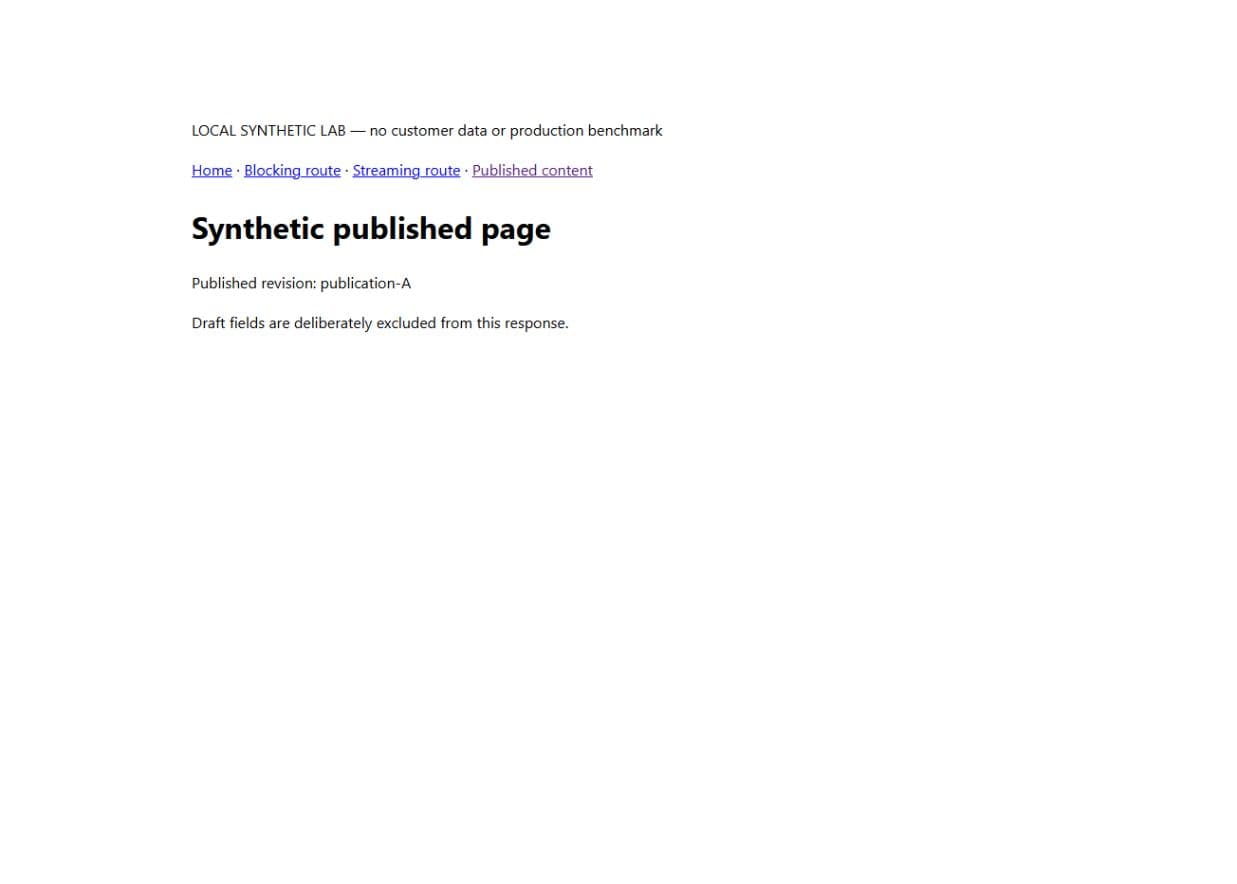
What our controlled experiment showed
On 26 September 2026 we ran an isolated production build using Next.js 16.3.4, React 19.2.8 and Node.js 24.15.0. Cache Components and partial prefetching were enabled. The fixture held a published title and revision alongside a deliberately recognisable draft marker. No customer data or production CMS credentials were involved.
The public reader selected only the published fields inside a use cache function, with cacheLife('hours') and a lab-publication tag. The check requested the page, changed the published revision in the source file and requested it again. It then expired that tag and repeated the request.
| Step | Observation in this run | What it establishes |
|---|---|---|
| Request the initial page | Publication A appeared; the draft marker did not | The tested public projection excluded the draft field |
| Change the source to publication B | The next response still contained A | Changing the source alone did not refresh this cached response |
| Expire the publication tag | The next response contained B | Explicit tag expiry refreshed this tested server path |
This is a small freshness experiment, not proof of a production CMS integration, preview security or multi-server behaviour. The test restores its original fixture afterwards. Its result is useful precisely because the source, configuration and claim are narrow enough to check.
Download the synthetic lab source and the recorded check results. The README explains how to run it locally. Never deploy the demonstration endpoint or use it as production webhook authentication.
Choose a freshness rule for each kind of content
A cache is a stored result that can be reused. Revalidation is the work of refreshing that result. Decide what readers may safely see while a refresh happens before choosing an API.
For a background editorial change, serving the previous published version briefly may be acceptable. For a withdrawn statement, incorrect opening time or permission-sensitive record, the same behaviour may be unacceptable. Write down the required outcome and test it from the reader's side.
The current Next.js revalidation guide distinguishes background refresh from immediate expiry. Our local Route Handler uses revalidateTag('lab-publication', { expire: 0 }) to demonstrate the latter. That choice is specific to the experiment; it is not a recommendation to expire every cache on every edit.
Inventory the places a change appears. An article update can affect its detail page, category listing, homepage card, feed and structured metadata. Tagging only the detail query leaves other surfaces capable of showing the old information. Conversely, flushing the entire site after every edit can create unnecessary load. Choose the smallest invalidation scope that covers the real dependencies.
Keep previews and publication events trustworthy
A draft preview needs a separate access decision. A hidden URL, a client-side toggle or a noindex instruction does not make private content private. Restrict who can enable preview, what they can read and where preview responses may be cached. Test signed-out access and public payloads as well as the visible screen.
A webhook is an event sent by another system, such as a CMS announcing publication. Treat its request body as untrusted until the sender has been verified. Follow the CMS provider's signature-verification procedure, reject malformed events and map permitted content changes to known cache tags or paths. Avoid accepting arbitrary destinations from the request.
Design for repeated or delayed events. A duplicate publication notification should not corrupt content. An event arriving late should cause the current approved record to be read, rather than restoring an older payload. Record enough information to identify the failed publication without logging drafts, tokens or personal information.
Prove recovery before handing the site over
Run a rehearsal with a harmless marker on a test page. Publish it, verify every affected surface, deliberately withhold the refresh event and show how the operator detects and repairs the stale response. Remove the marker and verify that removal too.
For a real release, keep a short record: content revision, publication time, event outcome, affected URLs, observed public version and the person responsible for recovery. Check both a fresh browser visit and a tab that was already open. Our server-response experiment does not cover those browser states.
If the page's URL or search presentation changes, use the Next.js SEO release checklist. If the page is fresh but still feels slow to use, the streaming and navigation guide addresses a different problem: what the reader sees while data arrives.
What should go in the project brief?
Describe who edits, who approves, which fields they control, how previews work and how quickly each type of change must reach readers. Ask the supplier to demonstrate those requirements on the proposed setup, including failure and recovery.
That gives you a concrete conversation about the Next.js development work required. It also makes the quote comparison fairer: an editable page and a complete publishing workflow are different amounts of work.
Technical sources were checked on 26 September 2026. The Next.js caching documentation explains the framework model; the downloadable experiment records the narrower behaviour tested here. Re-run it against your installed versions before relying on the result in another project.