Grok Bot in 2026: A Practical Guide for UK Businesses
Grok Bot carries out tasks using apps, websites and files on a shared cloud computer. Start here for setup, skills, templates and a practical business evaluation.
Co-founder of Ampliflow. Builds AI automation, websites, SEO/AEO, and growth systems for UK SMEs.
Grok Bot is an AI agent application that can carry out work using websites, connected tools and files on a persistent cloud computer. You give a named Bot a job, supply the relevant context and review what it produces. Several Bots can collaborate, but they share the computer assigned to your account.
For a business, the useful question is simple: which piece of work can it complete well enough that you would hand it the next one?
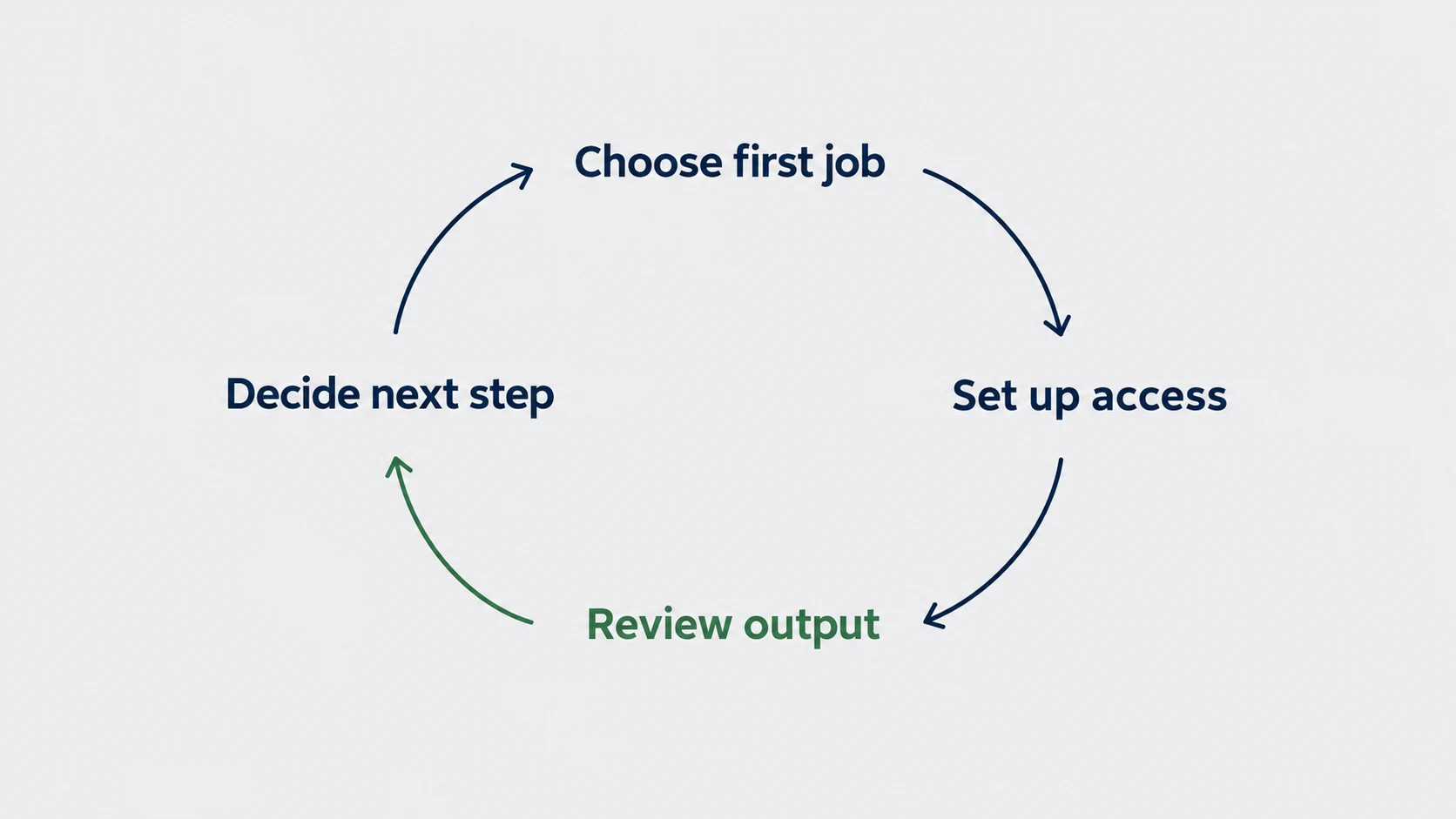
This guide helps you choose that first job, set up access and judge the result. Product details were checked against official documentation on 6 September 2026. The workflow and checklist below are our proposed evaluation method, not a claim of measured Grok Bot performance.
Download the Grok Bot acceptance checklist (CSV). Use it to record the task, evidence, review effort and decision to continue.
Download the starter pack (Markdown) for the copyable briefs, skill and routine instructions, and a support-record template. The reporting exercise adds a synthetic CSV with a calculated answer key.
Jump to setup, apps and files, skills and templates, mobile or acceptance tests.
What is Grok Bot, and what does it actually do?
Several Bots. One shared computer per account.
Account-scoped cloud computer
Research Bot
Own screen and role
Review Bot
Own screen and role
Shared files, browser sessions and app logins
A separate Bot name does not isolate client data.
For a pilot, limit connected access and require review of consequential actions. Confirm the account arrangement before adding client information.
Grok Bot moves beyond answering a question in a chat window. Its working environment includes a browser, files and a terminal. Bots can retain role context and hand work between one another. That makes research, preparation and multi-step business tasks possible within the tools where the work happens.
The official Grok Bot overview describes the shared environment. Separate Bot names do not create separate security boundaries. A login or file on that computer can be available to other Bots in your account.
Think about the work before assembling a roster of assistants. A meeting-preparation Bot with a defined source list and output format is easier to assess than a general assistant told to grow the business.
| Starting task | Useful output | What you should check |
|---|---|---|
| Prepare for a customer meeting | Brief with linked sources, open questions and a proposed agenda | Are the facts current and about the right organisation? |
| Summarise an approved document | Decisions, dates and unanswered questions | Can every consequential statement be traced to the document? |
| Review a weekly report | Exceptions that need a human decision | Are periods, definitions and calculations consistent? |
| Draft follow-up | Editable message based on approved meeting notes | Does it avoid inventing promises, prices or next steps? |
These are evaluation suggestions. They are not guaranteed integrations or measured outcomes.
Capabilities beyond meeting preparation
The official use-case catalogue also covers campaign analysis, expense reconciliation, bug reproduction, account-health reviews and executive digests. These are broader tasks involving several sources and a concrete deliverable.
Choose the job by the evidence you can provide and the result you can verify:
| Business job | Input you need | Result worth evaluating |
|---|---|---|
| Campaign review | Approved spend export and metric definitions | Reproducible comparisons and proposed changes |
| Expense review | Sanitised transactions and the applicable policy | Exceptions linked to policy sections |
| Website fault investigation | Staging URL, test account and bug description | Reproduction steps with expected and actual behaviour |
| Customer portfolio review | Approved usage and support information | Evidence behind each account needing attention |
| Weekly leadership digest | Agreed priorities and permitted source material | Decisions needed, owners and unresolved questions |
A Bot's ability to operate software is useful, but the deliverable is what matters. A reproduction pack someone can act on is more valuable than a conversation saying it looked at the website.
Access, plans and costs in September 2026
The 26 August access announcement includes SuperGrok, SuperGrok Plus, SuperGrok Heavy, Cursor Pro, Cursor Pro+, Cursor Ultra and Cursor Teams plans. The setup guide and FAQ still show a narrower list. That discrepancy matters if you are about to upgrade solely to try the product.
Check eligibility in your own account before purchasing. The team administration documentation also describes X Premium+ linking and a trial route; neither should be assumed to apply to every account. Use its linked current plan matrix and your account's access screen to resolve eligibility, usage and billing.
The official FAQ says subscriptions include weekly usage and eligible accounts can add on-demand usage based on model and token costs. There is no single reliable cost-per-task figure for every business workflow.
For a UK buying decision, record the amount and currency shown at checkout, the billing period and applicable tax treatment. Then measure the cost of the actual work:
Cost per accepted result = attributable subscription and usage cost, plus human review and correction cost, divided by accepted results.
That is a management calculation, not vendor pricing. If ten drafts require extensive rewriting, counting ten completed tasks hides the expense. Record all attempts and failed runs, not just the output you liked.
For example, suppose a test uses £12 of attributable software usage and one hour of review valued internally at £30. If six results are accepted, the cost is £7 per accepted result: (£12 + £30) ÷ 6. These are illustrative inputs, not Grok prices or an Ampliflow benchmark. Compare the result with your current process.
Set up your first Grok Bot
Use the official download page, choose the build for your operating system and complete the account sign-in flow. The setup documentation currently uses Cursor authentication. Review the current account requirements rather than following an old screenshot from a launch video.
Install on Windows, Mac or Linux
The official installation instructions distinguish the following builds:
| Computer | Choose | Installation route |
|---|---|---|
| Windows | x64 or Arm64, matching System type in Settings | Run the installer, then open Grok Bot |
| Mac | Apple silicon or Intel, matching About This Mac | Open the disk image and move the app to Applications |
| Linux | x64 or Arm64 | Use the offered Debian package, RPM or AppImage for your distribution |
Keep the application open while the browser completes sign-in. Return to the app and let initial computer setup finish. If the account belongs to an organisation, use the intended organisation identity. Do not connect personal accounts simply to get through a blocked company login.
Name and configure the Bot
The Bot management guide uses New → Create new agent. Open Bot actions → Edit Profile to set the name, title, description and avatar. The keyboard shortcut for New is Cmd/Ctrl+N.
Put lasting responsibilities in the description and today's task in the conversation. For example:
textName: Meeting Researcher
Responsibility: Prepare source-backed briefs for approved meetings.
Standing boundary: Return drafts only; do not contact anyone.
Quality rule: Separate evidence, uncertainty and suggestions.
An avatar helps you recognise the Bot. Its description determines the work you are delegating. Spend more attention on the latter.
Give the first Bot one responsibility. Write down its allowed sources, expected result and stopping point before connecting business systems.
Our recommended first task is meeting preparation using a public company website and a sanitised brief. It has a recognisable outcome and lets you evaluate factual accuracy without starting with customer account access.
1. Define the job
Choose one real meeting or a fictional practice account. Decide who will review the result. Set a reasonable scope: a single-page brief is easier to verify than a sprawling report.
2. Supply a bounded source set
Provide the exact website and the document the Bot may use. State which source wins if information conflicts. For example, your approved brief may govern the purpose of the meeting while the organisation's current website supports public facts.
3. Connect only what the job requires
Public research may need no business connector at all. When a workflow later needs an account, choose access appropriate to that task. Enter authentication details through the documented secure flow, rather than pasting passwords into a prompt.
4. Run once and inspect the evidence
Check the source pages yourself. Confirm the organisation, dates and any numbers that influence a decision. Mark missing evidence as missing. A neat table is not proof that its contents are correct.
5. Save what worked
Refine the instructions after the first attempt. Repeat with another input before scheduling anything. A process that worked once with a carefully prepared document may fail when a source is missing or ambiguous.
A copyable meeting-preparation brief
The following is an original starting brief. Replace the bracketed fields and remove anything that does not fit your task. It is a proposed template, not an account-tested Bot configuration.
textRole: Meeting preparation researcher.

Prepare a brief for [meeting purpose] with [organisation].
Use only [exact public website] and the attached sanitised brief.
Do not sign in to other services or contact anyone.

Return:
1. A short account summary, with a source URL for each factual claim.
2. Three questions relevant to the meeting purpose.
3. Conflicting or missing information that needs human checking.
4. A proposed agenda, clearly labelled as your suggestion.

Keep source facts separate from your interpretation.
Do not invent people, contact details, prices or commitments.
If you cannot access a source, report that limitation.
Do not send messages, publish, purchase or change source records.
Stop after the brief and wait for review.
Add the date of the meeting and use Europe/London when a later workflow involves local scheduling. Spell out dates such as 6 September 2026 instead of relying on an ambiguous numeric format.
Test a difficult case deliberately: provide two sources with conflicting information. The useful behaviour is to surface the disagreement and identify the sources, not quietly choose whichever claim makes a cleaner report.
Try it with a brief whose answer you already know
Before connecting a business account, run this small exercise. Everything in this example is fictional. Save the text as a file, attach it and ask for a meeting brief using only that attachment. For this exercise, replace the website requirement in the prompt above with “cite the labelled source notes”.
textPractice account: Example Service Company (fictional).
Meeting purpose: understand how enquiries reach the right person.
Source A — approved meeting note, 4 September 2026:
The company has three branches. A person checks the shared enquiry
inbox and forwards each message. No budget or purchase is agreed.
Source B — older overview, 10 August 2026:
The company has two branches.
Source rule: use A for the meeting context; disclose the conflict with B.
Output: account facts, uncertainties, three questions and a proposed agenda.
No browsing, account connections or external actions are needed.
An acceptable result identifies three branches according to Source A, notes the older two-branch description and asks how an enquiry is assigned today. It must not turn manual forwarding into a claim that messages are being lost.
| Part of the brief | An acceptable answer |
|---|---|
| Supported observation | A person forwards enquiries from the shared inbox; Source A |
| Conflict | Source B lists two branches; Source A lists three |
| Useful question | How do you decide who owns an enquiry, and how is that decision recorded? |
| Missing information | Enquiry volume, response times, budget and buying decision are unknown |
| Proposed agenda | Map the current process, identify exceptions, agree what evidence to gather |
This is an answer key for evaluating a task, not a transcript of a Grok Bot run. If the output invents a lost-sales figure or an agreed project, correct the method before adding live sources. If it passes, change one input and repeat: remove Source A, for example, and check that the Bot no longer treats three branches as established.
Connect apps and work with files
The computer and apps guide calls connectors Plugins. Open Settings → Plugins, select an available connector, choose Add and complete authentication. Use @ in the composer to attach a connector to the task. Availability is account-wide, not a private connection for one Bot.
Choose the connection method that exposes the work you need. A connector can provide structured access; browser interaction covers tasks the connector does not expose. Do not assume the two methods have identical permissions or results.
| Method | Useful when | Check before continuing |
|---|---|---|
| Attached file | You can provide a bounded source snapshot | Correct version, complete upload and permission to use it |
| Connector | A supported service exposes the required operation | Intended account, permissions and exact target record |
| Browser session | Work needs a website or visual interaction | Correct signed-in identity and any pending human step |
According to the file documentation, desktop accepts up to six attachments at once. Documents, images and audio may be up to 25 MB each; video may be up to 200 MB. Supported types include common office documents, PDF, CSV, text and code. An encrypted or unusual file may still fail.
Ask for an output you can keep and inspect: a CSV with agreed columns, a brief with source links, or a document with decisions separated from suggestions. Download or otherwise retain the accepted result in your normal business record system. A successful conversation is not a retention policy.
Skills, routines and templates: what to use when
| Building block | Purpose | Example |
|---|---|---|
| Bot description | Ongoing responsibility and working boundaries | Meeting researcher that returns drafts |
| Task message | The specific work required now | Prepare tomorrow's meeting brief |
| Skill | A reusable method | How to check sources and format the brief |
| Routine | When an owner should run a workflow | Prepare the approved weekly meeting list |
| Shared Bot template | A starting configuration to inspect and adapt | A creator's research Bot |
The official skills guide describes saving a completed method as a skill. Use / to reference a saved skill. If a private skill is absent, check Settings → Plugins → Yours and whether it is enabled for that Bot.
Ask the Bot to save a tested method, then inspect the saved instructions. Scheduling comes afterwards. Confirm the owning Bot, input, time zone, output and failure behaviour, and check the next run shown by the app. Our skills, routines and template guide provides copyable specifications and tests for this step.
For a first reusable method, the key question is not whether it remembers your favourite heading. It is whether it still does the right thing when the source is absent, the date changes or a second run encounters existing work.
Template: turn approved material into a campaign brief
Use this original specification when you have approved source material and want several creative options. It deliberately leaves the publication decision outside the task.
textUse the attached approved product brief and brand examples.
Create three campaign concepts for [audience and channel].

For each concept return:
- The audience problem supported by the supplied brief.
- A headline and short script.
- A shot list or visual direction.
- Which product claims it uses and where each is supported.
- Any missing asset or approval needed before production.

Keep concepts distinct in idea, not just wording.
Do not invent testimonials, results, discounts or product capabilities.
Do not generate or publish an advert in an external account.
Return the concepts for editorial review.
The output here is a production brief. A claim that Grok Bot itself has made a finished, licensed video would require a different workflow and evidence. Review the concept, then select and authorise the production tools separately.
Template: prepare a support-pattern digest
textUse this sanitised set of support records for [date range].
Group recurring problems using the supplied category definitions.
For each group return the count, record references and a concise summary.
Separate reported symptoms from confirmed causes.
Identify incomplete records and explain their effect on the counts.
Suggest questions for the service owner; do not change ticket status.
Do not contact customers or include personal details in the digest.
Try a duplicate record and a ticket with two issues in your test set. Decide how those should count before accepting the output. That small piece of definition work prevents a polished report from hiding inconsistent totals.
Use mobile without losing the review context
The mobile documentation lists iOS 18 or later and Android 9 or later, with phone rather than iPad support. Use its official store links. The app connects to the same Bots and cloud environment as desktop.
Sign in through Login with Cursor and complete browser authentication. Check that the expected Bots appear. Notifications can help with questions and approvals, but the documentation describes a rollout, so verify delivery on your account before relying on it.
A useful mobile task is reviewing a prepared brief on the way to a meeting. A poor mobile habit is approving an action whose target, attachment or effect you cannot inspect on the screen. Defer that decision until you can see enough context.
Add a second Bot only when the handoff is clear
One Bot can often prepare and revise a brief. Add another when a distinct responsibility makes the work easier to manage, not because a larger roster looks more advanced.
For example, a researcher could assemble evidence while a reviewer checks unsupported claims. Give them a shared output format and identify the person who makes the final decision. Agreement between two Bots is not independent verification of a source.
Our suggested handoff has five fields: task reference, current source version, completed work, unresolved questions and next authorised action. If the next Bot cannot tell which file is current, the handoff is incomplete.
For client work, do not mistake separate roles for separate access. The shared-computer limitation still applies. Discuss the actual account, credentials and retention arrangement before bringing another client's information into the environment.
What Krista Letz's prospecting Bot gets right
Krista Letz's Outbound Prospecting Bot on the official marketplace offers a useful example of constrained delegation. Its published configuration calls for source-backed prospect research, leaves unsupported fields empty and keeps outbound messages behind explicit approval. It also distinguishes research and draft states from a message actually being sent.
The principle is worth copying: define the evidence and the state of the work. A suggested contact, an approved contact and a contacted person are different things.
For a UK business, begin by evaluating the research and draft quality on an approved test set. Importing a creator's Bot does not establish that its assumptions, data sources or outreach approach suit your organisation. For an original account-research brief, evidence ledger and draft approval process, follow our Grok Bot sales workflow.
Permissions matter more than the number of Bots
The official approval and privacy guidance recommends combining narrow access with explicit approval controls. Its Auto Review system is model-based; a broad instruction to behave safely is not a substitute for limiting permissions.
For an initial pilot, keep external sending, publishing, purchases, deletion and production changes behind review. Verify the actual controls in your installation. Treat local-computer execution as a separate decision from cloud-computer access.
Because the account's Bots share files and logins, do not put unrelated clients into separate Bots and assume their data is isolated. Establish a suitable account and access arrangement before client work begins.
Grok Bot requires cloud data storage. The documentation says account privacy settings govern relevant data-sharing choices and that Legacy Privacy Mode is unsupported. Review current contractual and organisational requirements before supplying customer data; a product name or privacy toggle alone does not establish suitability for a particular job.
Decide whether the workflow is ready to repeat
Use the downloadable checklist as a decision record. Set the acceptance conditions before running the task so you cannot quietly lower the standard afterwards.
| Test | Pass evidence | Reason to stop |
|---|---|---|
| Correct subject | Sources and output refer to the intended organisation | Similar company names have been mixed up |
| Supported facts | Important claims point to accessible evidence | A confident statement has no supporting source |
| Honest uncertainty | Missing and contradictory information stays visible | The Bot fills gaps with plausible inventions |
| Controlled actions | No external change outside the agreed scope | The workflow sends or modifies without required review |
| Useful economics | Total review and correction effort is acceptable | Repairing the result costs more than doing the task |
| Repeatability | Another input produces an acceptable result | Only the carefully prepared demonstration works |
Keep a short log: task, input version, date, attempts, observed usage cost, review minutes, corrections and final decision. Do not put customer secrets in a shared evaluation sheet.
After repeated acceptable results, consider a routine. Assign an owner, a stopping condition and a way to notice failure. Scheduling increases how often a process runs; it does not improve its judgement.
When Grok Bot is the wrong starting point
If the job is one calculation on a stable spreadsheet, start with the spreadsheet. If the requirement is a strict sequence of known system updates, evaluate whether an existing integration handles it more predictably.
Grok Bot is more interesting when the task involves interpreting information, moving between sources and producing work for review. That flexibility makes clear boundaries and evidence especially valuable.
A self-hosted agent is a different operating decision. For the responsibilities involved in running your own environment, see our Hermes deployment guide. Do not interpret a Grok Bot desktop download as instructions to self-host its cloud service on a VPS.
Questions before a business rollout
Does Grok Bot keep working when the laptop is closed?
Yes. The official FAQ says background work runs on the cloud computer. Closing your laptop is therefore not a reliable way to stop a routine. Use the product's controls and verify its state.
Can I give each client a different Bot?
Different Bots organise responsibilities, but do not isolate the account's shared files and sessions. Resolve client separation and access requirements before connecting accounts.
Is this a replacement for the Grok API?
This guide concerns the Grok Bot application. Building your own software against an API is a separate implementation choice. Check the documentation for the product you intend to use rather than treating the names as interchangeable.
What should a successful pilot demonstrate?
An accepted result, traceable evidence, respected access boundaries and tolerable review effort across more than one input. Record failures as well as successes. Those observations give you a basis for the next decision.
Continue with the task in front of you
If you have access and want a repeatable commercial use case, use the sales research and follow-up workflow. It adds an evidence ledger and a separate decision before anything is sent.
If the first task works and you want to repeat it, use the skills, routines and templates guide. It includes a downloadable starter pack and deliberate failure tests.
If the app, computer or routine is not responding, use the Grok Bot troubleshooting guide. It starts with diagnosis and avoids treating a reset as the first fix.
Start with one job that matters. Make the result easy to check. Expand when the evidence supports it.
To discuss where agent workflows fit your business, see AI automation or Get unstuck.