What Is MCP (Model Context Protocol)? The New Standard Connecting Claude to Everything
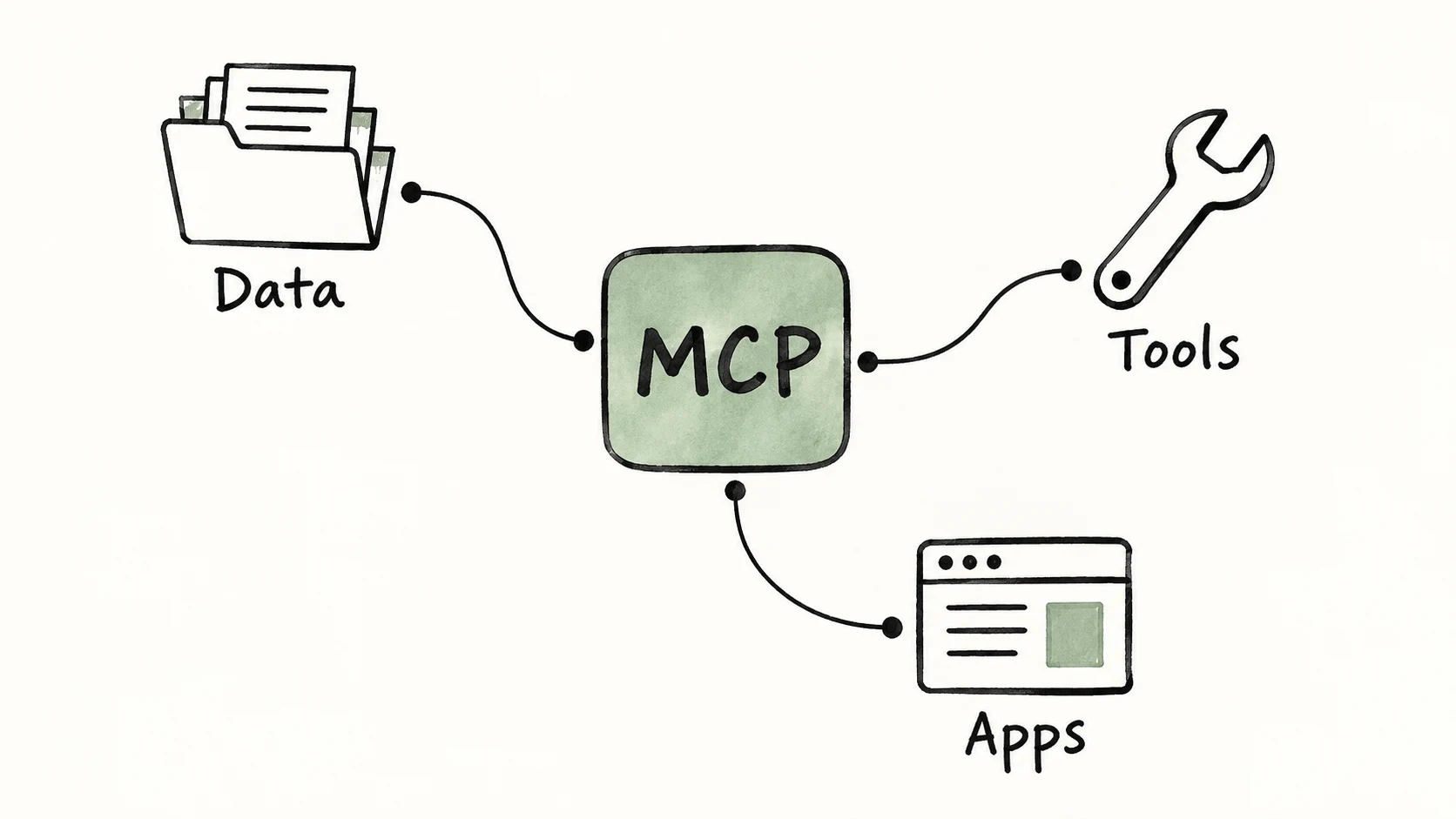
MCP gives AI applications a shared way to connect to tools and data. A compatible connector can be reused across applications, reducing repeated integration work. It does not make every server work in every client automatically: authentication, supported features and permissions still need checking.
Technical review: 21 September 2026. Examples explain the protocol; support varies by application and server version.
TL;DR: The Model Context Protocol (MCP) is an open standard for connecting AI applications to external data and actions. A host application manages clients that connect to servers exposing tools, resources or prompts. For a business, the question is whether it provides a maintainable connection to the systems a particular workflow needs, with appropriate access controls.
Contents
- The problem MCP solves
- How MCP works in plain terms
- The three things an MCP server can offer
- Who has adopted MCP?
- What MCP makes possible for a UK business
- The security questions you must ask
- How Ampliflow uses MCP in production
- Frequently asked questions
The problem MCP solves
An AI model on its own is brilliant and blind. It can reason about your business but it cannot see your business. It does not know your customers, cannot read your database, cannot open your CRM, cannot check your calendar. To be useful, it needs to connect to the systems where your work actually lives.
AI integrations can already use ordinary APIs and reusable software libraries. MCP adds a common discovery and interaction format, which can reduce the separate connector work needed across AI applications.
MCP standardises part of that connection. A server for your database may be reusable in several clients, but each client still needs to support the transport, authentication and capabilities you plan to use. The MCP architecture specification describes how clients and servers negotiate capabilities.
How MCP works in plain terms
MCP uses a client-server model. The host is the AI application, which manages a client connection for each server. The two connection roles are:
- An MCP server exposes a capability. There is a GitHub MCP server (read and write repositories), database MCP servers (query your data), browser MCP servers (control a web browser), and hundreds more. A server is just a small program that says "here is what I can do" in the MCP language.
- An MCP client maintains a connection to a server on behalf of the host application. The host controls how those capabilities are exposed to the model and user.
The two exchange structured messages using JSON-RPC. Servers may communicate locally through standard input/output (stdio), or remotely using Streamable HTTP. Check which transports and authentication methods your chosen application supports before installing a server.
The payoff is reuse where the implementations are compatible. A connector may work in Claude Code and a custom Agent SDK application, while still requiring separate setup, permission testing and integration checks.
The three things an MCP server can offer
An MCP server can expose three kinds of capability, and the distinction tells you what the AI can do with each.
- Tools — actions the model can take. Query a database, create a GitHub issue, send a message, trigger a deployment. Tools are how MCP lets AI do things, not just talk about them.
- Resources — data the application can read. A file, a database record, a document, an API response. Resources are how the model gets context it can reason over.
- Prompts — reusable templates a user can invoke. A pre-built "summarise this incident" or "review this contract" workflow, packaged so it can be triggered cleanly.
Most of the business value lives in tools — the ability to act — but the combination is what makes an MCP server genuinely useful. A CRM server might expose resources (read a customer record), tools (update a deal), and prompts (a standard "prepare account review" workflow), all through one standardised connection.
Who has adopted MCP?
MCP has support across several major AI and development tools. That makes it worth evaluating when you need a connector used by more than one application. It is one integration option, alongside ordinary APIs and existing platform connectors.
It is supported across:
- AI assistants — Claude and Claude Code, and ChatGPT. Within roughly a year of launch, both OpenAI and Google had moved to support MCP, turning an Anthropic standard into a shared one.
- Development tools — Visual Studio Code, Cursor, and many other editors and IDEs.
- A large open ecosystem of servers — hundreds of community and official MCP servers for everything from GitHub and databases to browsers and design tools.
The benefit is reduced dependence on one application. Portability still needs testing: changing the host can change which capabilities, approval controls and authentication methods are available.
What MCP makes possible for a UK business
MCP can give an AI workflow controlled access to current business records and actions.
The valuable part is the workflow that access enables. A read-only report may be sufficient; write permissions should have a clear purpose and tested controls.
The difference is concrete:
- An AI assistant that knows your business — connected to your CRM, calendar, and document store, so it answers from your actual data rather than generic knowledge.
- Engineering agents that touch real infrastructure — Claude Code wired to your database, monitoring, and internal APIs, so it can investigate a production issue with live data instead of guesswork.
- Operations automations that span systems — an agent that reads your order system, reconciles it against your accounting platform, and flags the discrepancies, because both are reachable through MCP.
- Reusable internal connectors — expose a core system through a server that compatible applications can use, with separate permissions for each workflow.
We covered the practical "which servers should I actually install" question in Claude Code MCP Servers: 7 Worth Installing. This piece is the why behind that what — the standard that makes all of it possible.
The security questions you must ask
MCP is powerful precisely because it lets AI act on real systems — which means it deserves real scrutiny before you wire it up. Giving a model a tool that can write to your database or send messages on your behalf is exactly as serious as it sounds. The questions to ask of any MCP server before you trust it:
- What can it actually do? Read-only access is far lower-risk than write access. Scope each server to the minimum capability the job requires — an analysis agent rarely needs write tools.
- Who controls the server? A server you wrote and host is a different trust proposition from a third-party server pulling your data to someone else's infrastructure. Vet the source of any server you did not build.
- Is access audited? Every action an AI takes through MCP should be logged and reviewable. "What did the agent do, and when?" must have an answer.
- Are sensitive systems gated? Payments, customer PII, production infrastructure — these should require explicit permission, not be available by default.
This is not a reason to avoid MCP. It is a reason to deploy it deliberately. The same property that makes MCP transformative (real access to real systems) is the one that makes governance non-negotiable, especially for UK businesses handling regulated data under GDPR or sector rules.
How Ampliflow uses MCP in production
MCP is one way to connect Amplex workflows to external systems. Whether it is appropriate depends on the available server, required actions and controls. Direct APIs and existing integrations remain options.
The controls to agree are practical: what the agent can read, which writes need approval, where activity is recorded and who can revoke access. The Claude Agent SDK supports MCP, but client-specific configuration does not remove the need for integration testing.
Our public Cellbot case study gives an example of business software work. For a self-hosted agent, the Hermes guide explains deployment choices. Neither an MCP connection nor an agent framework is proof of an individual system’s security or results.
Frequently asked questions
What does MCP stand for?
MCP stands for Model Context Protocol. It is an open standard for connecting AI applications (like Claude) to external systems — data sources, tools, and workflows — so the model can access information and take actions beyond its training.
Who created MCP?
MCP was created and open-sourced by Anthropic, introduced in late 2024. It has since been adopted as an industry standard, with support from other major AI providers including OpenAI and Google, and across development tools like VS Code and Cursor.
What is an MCP server?
An MCP server is a small program that exposes a capability to an AI in the standardised MCP language — for example a GitHub server (manage repositories), a database server (run queries), or a browser server (control a web browser). An AI application (the MCP client) connects to the server and can then use whatever tools, resources, or prompts it offers. There are hundreds of community and official MCP servers available.
Is MCP only for Claude?
No. MCP began as an Anthropic standard but is now open and widely adopted. It is supported by Claude and Claude Code, ChatGPT, VS Code, Cursor, and many other tools. Check each application’s supported features and access controls before reusing a connector.
How is MCP different from a normal API?
An API is an interface that software uses to access another system; many APIs are designed for reuse by many applications. MCP adds a standard way for AI applications to discover and use supported capabilities. An MCP server may call an existing API behind the scenes. Compatibility and authentication still need testing.
Is MCP secure?
The protocol alone does not make an integration secure or GDPR-compliant. Review the server, credentials, data flows, permission boundaries and the host’s approval behaviour. Test both permitted and denied actions, including how the application handles untrusted content returned by a tool.
Related reading
- ↔ Claude Code MCP Servers: 7 Worth Installing — the practical shortlist, once you understand the standard
- ↔ The Claude Agent SDK: Building Production Agents — how custom agents use MCP to reach your systems
- ↔ How to Get an Anthropic API Key — And What It Really Costs — model API authentication and costs; MCP servers may need separate credentials
- ↔ The Latest Claude Code Features — plan mode, hooks, and subagents that work alongside MCP
- ↔ Claude Models Explained: Fable, Opus, Sonnet and Haiku — the models that sit behind every MCP-connected agent
- ↔ What Is Claude Code? A UK Business Guide — the tool most UK teams first meet MCP through
What should you do next?
Start with one task that needs current information from another system. Check whether an existing integration covers it, then compare the setup and maintenance of MCP with a direct API connection.
We design and build those connectors for UK businesses: scoped MCP servers for your core systems, wired into governed agents, with the audit trail and permission gating that regulated work demands.
To discuss the systems and workflow involved: Get unstuck →
A successful first connection has a clear owner, a narrow purpose, tested permissions and a way to stop it when something goes wrong.
Ampliflow is an agency based in Solihull, West Midlands, building websites, business software and automation for UK businesses.